



Evaluating Expressions and Polynomials
Purplemath
What is "evaluation" in math?
"Evaluation" mostly means "simplifying an expression down to a single numerical value". Sometimes you will be given a numerical expression, wher all you have to do is simplify; that is more of an order-of-operations kind of question.
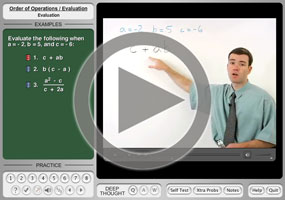
In this lesson, I'll concentrate on the "plug-n-chug" aspect of evaluation; that is, I'll show the plugging in values for variables, and the chugging my way to the simplified answer.
(By the way, yes, "plug-n-chug" is fairly standard terminology. It's not a "technical" term, so you probably won't see it in your textbook, but you're certain to hear it from other students, and perhaps also your instructor.)
Usually the only hard part in evaluation is in keeping track of the "minus" signs. I would strongly recommend that you use parentheses liberally, especially when you're just getting started.
What is an example of evaluation?
- Evaluate a2b for a = −2, b = 3, c = −4, and d = 4
To find my answer, I just plug the given values into the specified variables, being careful to use parentheses, particularly around the "minus" signs. And, especially when I'm just starting out, drawing the parentheses first may be helpful:
a2 b
( )2 ( )
(−2)2 (3)
(4)(3)
12
Note how using parentheses helped me keep track of the "minus" sign on the value of a. This was important, because I might otherwise have squared only the 2, ending up with −4, which would have been wrong.
By the way, it turned out that we didn't need the values for the variables c and d. When you're given a big set of expressions to evaluate, you should expect that there will often be one or another of the variables that won't be included in any particular exercise in the set.
- Evaluate a − cd for a = −2, b = 3, c = −4, and d = 4
In this exercise, they've given me extra information. There is no b in the expression they want me to evaluate, so I can ignore this value in my working:
(−2) − (−4)(4)
−2 − (−16)
−2 + 16
16 − 2
14
- Evaluate (b + d)2 for a = −2, b = 3, c = −4, and d = 4.
I must take care not to try to "distribute" the exponent through the parentheses. Exponents do NOT distribute over addition! I should never try to say that (b + d)2 is the same as b2 + d2. They are NOT the same thing! I must evaluate the expression as it stands:
( (3) + (4) )2
( 7 )2
49
- Evaluate b2 + d2 for a = −2, b = 3, c = −4, and d = 4
In this expression, the squaring is on each of the variables individually.
(3)2 + (4)2
9 + 16
25
Notice that this last answer above does not match the answer to the previous evaluation. This directly demonstrates the fact that exponents do not distribute over addition in the way that multiplication does.
You should expect at least exercise similar to the previous two on the next test, and also on the final exam. This tendency to try to distribute a exponent (rather than multiplication) over addition is a common student mistake, and your instructor will almost certainly want to remind you — frequently! — of the difference between squaring a sum and summing two squares. Don't mix them up!
- Evaluate bc3 − ad for a = −2, b = 3, c = −4, and d = 4
In this exercise, I need to use all four variables' values. But I need to be careful in my placement, because this expression doesn't use the variables in alphabetical order.
(3)(−4)3 − (−2)(4)
(3)(−64) − (−8)
−192 + 8
−184

The most common type of "expression" you'll likely need to evaluate will be polynomials. To evaluate a polynomial, you take that polynomial and plug whatever number they've given you in for the variable (usually x).
What is an example of evaluating a polynomial?
- Evaluate x4 + 3x3 − x2 + 6 at x = −3
This is my first polynomial to evaluate, so I'll start again with empty parentheses, showing me where the variable's value needs to be placed.
x4 + 3x3 − x2 + 6
( )4 + 3( )3 − ( )2 + 6
(−3)4 + 3(−3)3 − (−3)2 + 6
81 + 3(−27) − (9) + 6
81 − 81 − 9 + 6
−3
- Evaluate 3x2 − 12x + 4 at x = −2
I'm glad I've practiced using parentheses to make my substitutions clear. In this case, those parentheses will help me keep track of the "minus" signs.
3(−2)2 − 12(−2) + 4
3(4) + 24 + 4
12 + 24 + 4
40
- Evaluate y = 4x − 3 at x = −1
This is different. They've given me an equation with two variables, but have given me a value for only one of the variables. I guess they want me to plug in for x and figure out the resulting value for y.
y = 4(−1) − 3
= −4 − 3 = −7
Then my answer is the equation:
y = −7
Note: In this last exercise above, we were plugging a value in for one of the variables, and simplifying to find the value of the other variable. Also, the part we were plugging in to had been set equal to a name, y. Because of this, we weren't just evaluating an expression; we were in fact evaluating a polynomial function. The result of our plug-n-chug means that the point (x, y) = (−1, −7) is on the line y = 4x − 3; that is, this point is on the graph of the polynomial function.
© 2024 Purplemath, Inc. All right reserved. Web Design by 