



The Distance Formula: Worked Examples
Purplemath
The Distance Formula is pretty straightforward, as long as you do your work neatly.
The most common mistake made when using the Formula is to accidentally mismatch the x-values and y-values. Be careful you don't subtract an x from a y, or vice versa; make sure you've paired the coordinates properly.
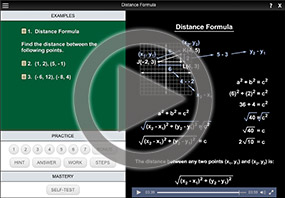
Also, don't get careless with the square-root symbol. If you get in the habit of omitting the square root and then "remembering" to put it back in when you check your answers in the back of the book, then you'll forget the square root on the test, and you'll miss easy points.
You also don't want to be careless with the squaring inside the Formula. Remember that you simplify inside the parentheses before you do the squaring, not after. (Why not? Because of the Order of Operations.) And remember that the square is on everything inside the parentheses, including the minus sign (if your subtraction results in a negative number); the square of a negative is always a positive.
By the way, it is almost always better to leave the answer in "exact" form; for example, the square root " " in the example on the previous page). Rounding is usually reserved for the last step of word problems. If you're not sure which format is preferred, then do both, like this:

Very often you will encounter the Distance Formula in veiled forms. That is, the exercise will not explicitly state that you need to use the Distance Formula; instead, you have to notice that you need to find the distance, and then remember (and apply) the Formula. For instance:
- Find the radius of a circle, given that the center is at (2, −3) and the point (−1, −2) lies on the circle.
The radius is the distance between the center of the circle and any point on the circle, so I need to find the distance:
![d = sqrt[ (2 + 1)^2 + (-3 + 2)^2 ] = sqrt(10)](xyplane/dist11.gif)
Then the radius is or, rounded to two decimal places, about 3.16.
-
Find all points (4, y) that are 10 units from the point (−2, −1).
Before I start the computations, I think about what sort of solution I should be expecting. The set of all points that are 10 units from the given point will be a circle. The points (4, y) are the vertical line x = 4. Assuming that the vertical line crosses through the circle, I should expect to get two points for my answer.
Now that I have that picture in my head, I'll plug the two given points and the given distance into the Distance Formula:
![10 = sqrt[(-2 - 4)^2 + (-1 - y)^2] = [y^2 + 2y + 37]](xyplane/dist12.gif)
Now I'll square both sides, so I can get to the variable:

This means y = −9 or y = 7, so:
the two points are (4, −9) and (4, 7).
This confirms my intuition at the beginning, that there would be two points that solve this exercise. If you're not seeing the picture in your head, then try drawing the (−2, −1) and then drawing a circle with radius 10 around this. Then draw the vertical line through x = 4. You'll see that the vertical line crosses the circle in two spots; namely, at (4, −9) and (4, 7).
- Using the two points, (−3, −2) and (5, 6), prove that the Midpoint Formula does indeed return the midpoint.
Whaaaa....?
Okay, they're wanting me to prove something, at least for the two specific points they've given me. (Technically, this isn't a proper proof of the Midpoint Formula: since it uses two specific points, all this proves is that the Midpoint Formula works for these two points. But that's a discussion for another time.)
What tools and knowledge do I have? I know that the midpoint is the point that's halfway between two other points. How can I apply the Distance Formula to this?
Well, if a point is halfway between two other points, then it's half the distance from each of the original points as those points are from each other. So if I find the distance between the original points, and then show that the midpoint is half of that distance from each of the original points, then I'll have proved that the Midpoint Formula gave the right point as the midpoint. In other words, I'll need to find the midpoint — according to the Midpoint Formula — and then apply the Distance Formula three times.
Re-read the above paragraphs. The hidden point is that it's okay not to know, when you start an exercise, exactly how you're going to finish it.
When you "have no idea what to do", don't panic; instead, think about the tools you have and the context in which you find yourself, and then fiddle around with that information. Maybe the first thing you try doesn't lead anywhere helpful. That's okay; figure out something else to try.
You might be surprised how often you can figure stuff out, if only you give yourself permission to be confused at the start. It's okay not to know! The only true failure is not trying at all.
First, I'll find the midpoint according to the Formula:
Okay, so my (alleged) midpoint is at (1, 2). Now I need to find the distance between the two points they gave me:
To prove that (1, 2) is really the midpoint, I need to show that it's the same distance from each of the original points, and also that these distances are half of the whole distance. So I'll apply the Distance Formula two more times, and then make the comparisons.

First, I'll find the distance of the point (−3, −2) from (1, 2):
Now I'll find the distance of (5, 6) from (1, 2):
(Don't be put off by the subscripts on the distance variables. I used the subscripts to help me keep track of the different distances; I named the first distance I found as d1 and the second distance d2. This kind of naming isn't required, but it can be helpful for keeping track of what I'm doing. And, in the long run, it is helpful to be comfortable with naming things.)
Comparing the distances of the (alleged) midpoint from each of the given points to the distance of those two points from each other, I can see that the distances I just found are exactly half of the whole distance. Also, my two smaller distances are the same. This means that the (alleged) midpoint that I found with the Midpoint Formula fulfills the definition of what a midpoint is. In other words, I have successfully proven what they'd asked me to prove.
The point returned by the Midpoint Formula is the same distance from each of the given points, and this distance is half of the distance between the given points. Therefore, the Midpoint Formula did indeed return the midpoint between the two given points.
The written-out "answer" above really just states the conclusion. The actual "proof" is the mathematics, where I found the various distances. If you're asked to prove something, be sure to show all of your work very clearly, in order to get full points.
© 2024 Purplemath, Inc. All right reserved. Web Design by 